Robert Rogers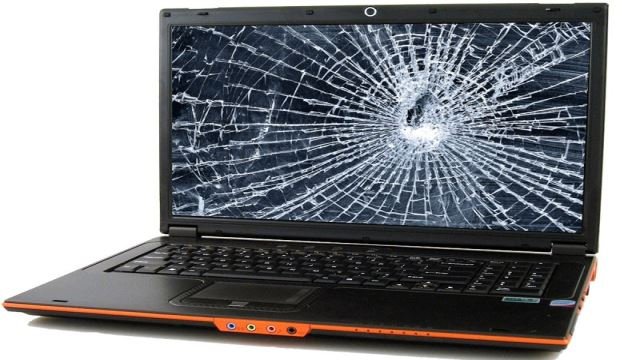

A laptop may not be as essential as a smartphone, but we still handle it with care, since it’s what we normally use for work. But sometimes, our rough way of handling things harms our laptops, and once its screen gets cracked, the damage may be deeper than we’d think.
Hence, treat a shattered screen as an emergency, and take your device to your town’s top-rated screen repair professional as soon as you can. The earlier the damage gets addressed, the fewer chances of your laptop suffering complications.
Yes, just like humans and animals, an abnormality in a laptop’s component can also lead to complications that may render the device useless within days. So here’s what can happen once your monitor gets smashed, along with some quick fixes to save your device:
- Flickering Display
A flickering and flashing display isn’t necessarily a result of a crack, but if you drop your laptop often, the video cable may have loosened, causing the display to act up. But in most cases, flickers and flashes are caused by a power deficiency in the monitor itself. You may have an appliance in your home or office that’s consuming too much power.
To confirm this, move your power adapter to another plug. If the problem persists, then a loose or malfunctioning component is likely the real culprit.
- Vertical Lines
As with a flickering display, loose video cables may also cause vertical lines to appear on your screen. But if you dropped your laptop recently, the actual cause is likely a broken LCD. Buying a new laptop is your best option for fixing this, since the LCD is the priciest component of a monitor, and therefore costly to replace.
- Dead or Stuck Pixel
A dead pixel is a black dot-like object on your screen that doesn’t pick up light. Stuck pixel, on the other hand, is similar to a dead pixel, but instead of a black dot, it appears in a different color from the rest of the display. A malfunction in the screen panel causes either.
Though both damages aren’t serious, fixing them can be tricky, so it’s best to rely on a pro to have them repaired.
- Spots and Blotches
One of the most common things that will occur after a cracked screen is a spot appearing beneath the crack. It’s usually a black or multicolored blotch that doesn’t align with the pixel grid. It will then be followed by vertical lines.
Such damage isn’t usually covered by warranties, so you may need to pay for an LCD replacement, or purchase a new laptop.
Quick Fixes for Broken Screens
If your screen suffers a crack, check to ensure that it’s only the glass that has broken. You can continue using your laptop normally if there doesn’t seem to be a serious problem, but the crack can be distracting, so try connecting your laptop to another monitor.
Your laptop should have an output port (HDMI, mini-HDMI, DisplayPort, mini-DisplayPort, DVI, or VGA) and a suitable cable for it to be connected to a TV screen. Some laptops also have an external display mode that needs to be activated, usually via the function keys.
Insert one end of the cable into the back or side of the TV, and insert the other end into the laptop’s port. Activate the external display mode, or log in straight from the TV screen if your laptop instantly recognizes the external monitor.
It may feel odd to use a TV as a monitor, but it’s a lifesaver, especially if you need to back up your files before having your laptop heavily repaired. And moving forward, remember not to be rough on your device; avoid closing it when the screen’s already cracked to prevent further damage.
Meta Title: What Happens Once a Laptop’s Screen Gets Broken
Meta Description: A shattered laptop screen isn’t always a small problem. If the screen continues to suffer an impact, the laptop’s interiors may start getting damaged as well, putting your data at risk for loss.
Tags:


 George